


7°E Sports DTH CAS service guide
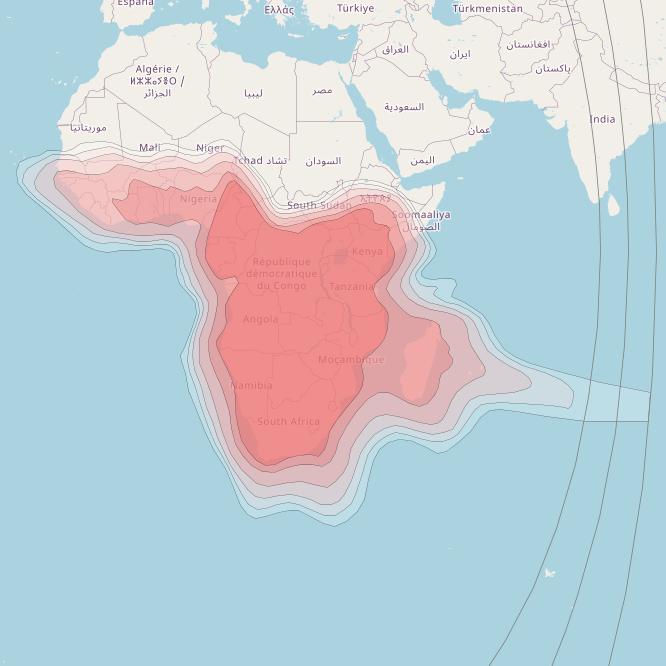
Before trying 7E CAS service make sure your country have coverage for Eutelsat 7B/7°E satellite in the image above, you will also need a good quality LNB head.
if you are in the edge of the zone(thin red) you will need a bigger dish to get signal 1meter-3meter dish size
1.Download the software from the links below and put on USB Flash and update on the STB.
You can check and download the supported 7e software from iksgo.com software section
2.After restarting, make factory default, then “Satellite Search” on Eutelsat 7B(7E).
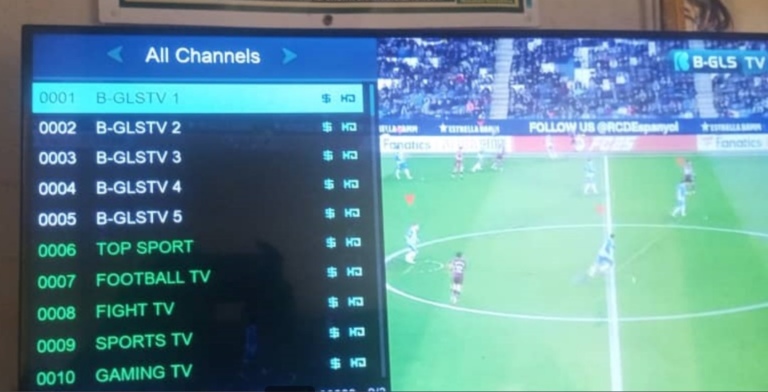
3.After the 7E search is completed, go to the channel list and you will see the encrypted “B-GLSTV” programs.
There are 5 channels with 3 French and 2 English channels.
4.also When the signal configuration of the 7.0E satellite is correct, when you plug in the power supply of the set-top box,
the device will automatically search for SPTV programs under the 7.0E satellite.
5.Go to Charge your SN with “7.0E Sport”,it will be working in short waiting. You can charge CAS 7E from here:
https://www.dzagame.com/shop/tv-servers/forever-server-activation-code
——————————–
If you don’t see the channels then load this chmax channel list file into your decoder:
https://r2.iksgo.com/7%C2%B0E%5BB-GLSTV_1UPTO6%5D-2.chl
7E software can be obtained by searching for your decoder here: https://check.dzagame.com/models-page
If you done everything correctly you will be able to watch B-GLSTV (10845/H/30000) or EVENT2 (12130H27500)
For BGLSTv channels
10762 H 30000
10845 H 30000
10887 H 30000
For Moreplex Channels (currently off)
11481 V 45000
11606 V 45000
Download and install CAS 7E firmware for your decoder. Reboot and channels will appear automatically
for Moreplex Channels they are not stable now.
First, make sure you tracked Eutelsat 7B and have the maximum signal quality on these tps :10887 h 30000 and 51e 11090 H 30000.
Second, install the CAS SERVICE software then do the online update under CAS SERVICE to get the latest software released
Last, reboot or unplug then replug your STB power supply and the STB should show an ongoing update process then it will automatically scan for the six B-GLSTV channels.
To make sure that everything is right and you can subscribe to the CAS SERVICE package, just select one of the B-GLSTV channels, you’ll see the 10845 to signal quality and a message box saying something like you don’t have an active sub.
You can subscribe now!
Please note: IPTV services consume a lot of internet data (FHD take 3GB/hour) and require a good, stable connection to work smoothly.
get iptv service from here:
https://www.dzagame.com/en/product-category/iptv/
for Apollo iptv its included also on vip package without pay it separately.
if at all DStv 36E is back on satellite we will put a notification in the telegram group:
Join our channels to see all our news and updates
WhatsApp👉: https://wa.me/213553039009