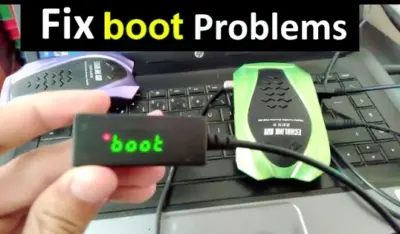
How to Fix Decoder Boot Problem
CustomerSupport2025-11-19T12:34:28+01:00
One of the most common issues that many satellite receiver users face is when the device gets stuck during startup. The screen shows “BOOT” and the receiver never turns on fully. Below are the possible causes and how to fix them.
1. Device Stuck on “BOOT”
If your decoder powers on but freezes on the word BOOT, this usually indicates a software or power-related issue.
2. First Check the Power Adapter
If the device shuts down or reboots suddenly without warning:
The problem may be from a faulty power adapter.
Try using a different adapter before attempting any other solution.
3. Shutdown During Update or Power Cut
If the issue began after:
A power outage
An interrupted software update
Then the device likely needs flash recovery (software reinstallation).

4. Manual Flash Recovery Procedure
What You Need
A USB Flash Drive
The correct software for your decoder (download from iksgo.com/models-page)
Steps
Copy the software update file to the USB flash drive.
Make six duplicates of the same file and rename them as follows:
rom.bin
GxRom.bin
update.bin
recovery.bin
rom_update.bin
flash_upgrade.bin
Insert the USB drive into the decoder.
Disconnect power, then plug it in again. The device should detect the update and begin installation automatically.
5. Special Instructions by Device Type
For ALI-Based Devices
Insert the USB stick.
Disconnect power, then reconnect.
Press and hold the power button on the decoder itself.
When the countdown appears, release the button.
Flashing should begin automatically.
For GX-Based Devices
Insert the USB stick.
Disconnect and reconnect power.
Keep pressing the power button repeatedly.
If the device has no physical button, press the power button on the remote.
Flashing should begin automatically.
6. Example Video
If you want a visual guide, check this example for the MS 2727 model:
YouTube: https://www.youtube.com/watch?v=huzpHc9kpjY
7. When All Else Fails
If none of the above methods work:
The receiver may require professional flashing using specialized tools.
In this case, take the device to a qualified technician in your area.
With these steps, most BOOT freeze problems can be solved at home without sending the decoder for repair.